Home dashboard
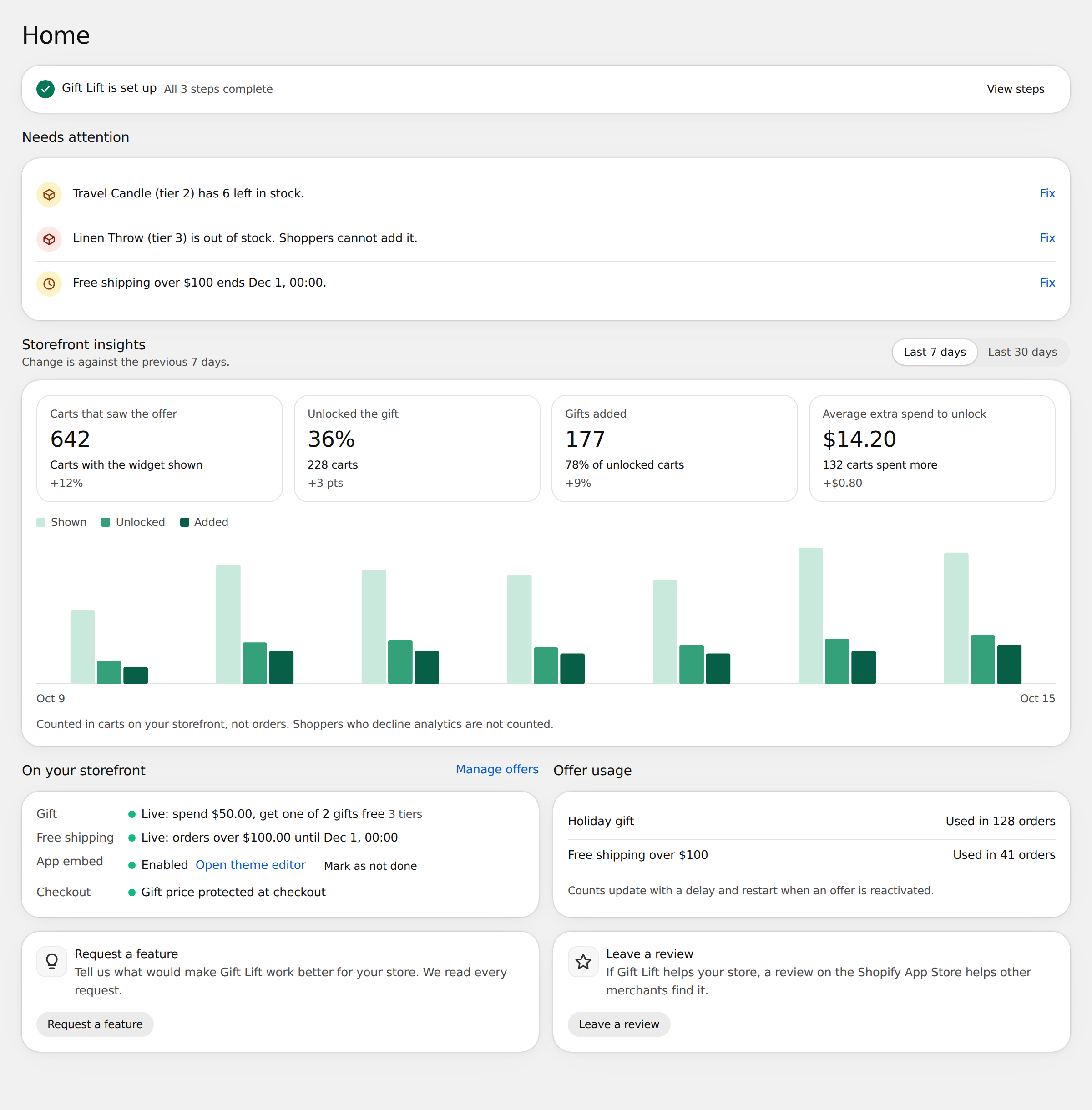
Home shows whether Gift Lift is set up, what needs your attention and how shoppers use the widget.
Setup guide
Until setup is done, Home starts with the three-step guide. See Get started.
Needs attention
Each row describes a problem with your offer. Select Fix to go where you can solve it.
| Message | What to do |
|---|---|
| Gift is out of stock. Shoppers cannot add it. | Restock the product, or replace the gift in the offer. |
| Gift has n left in stock. | Shown when 10 or fewer are left. Restock or add another gift. |
| Offer ends date. | Shown 72 hours before a scheduled end. Change the end date if you want it to run longer. |
| Offer has ended but is still active. | Pause it on Offers so you can activate another offer. |
| The app embed is not enabled, so shoppers do not see the widget. | Turn on the app embed in your theme editor. |
| Gift Lift is paused. | Turn off Pause Gift Lift in Settings. |
Storefront insights
Choose Last 7 days or Last 30 days. Each tile shows the change against the previous period.
| Tile | Meaning |
|---|---|
| Carts that saw the offer | Carts in which the widget was shown. |
| Unlocked the gift | Share of those carts that reached the minimum spend. |
| Gifts added | Carts where the shopper added the gift. |
| Average extra spend to unlock | How much more shoppers spent to reach the minimum spend. |
The chart shows Shown, Unlocked and Added carts per day.
Insights count carts on your storefront, not orders. Shoppers who decline analytics are not counted, so the numbers are lower than your real traffic.
On your storefront and Offer usage
On your storefront sums up the active offer and whether the app embed is on. Select Edit offer to change the offer.
Offer usage shows how many orders used each active offer, from Shopify's discount counts. Counts update with a delay and restart when an offer is reactivated.